

Jordan E-Invoicing Solutions for ERP and Tax Compliance

Streamline Jordan e-Invoicing Workflows
Start Compliance Setup For Businesses Using Microsoft Power Automate
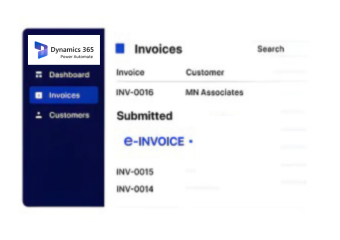
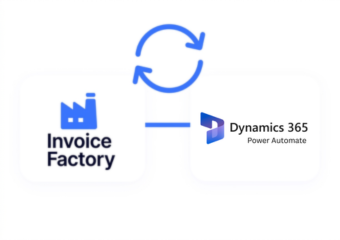
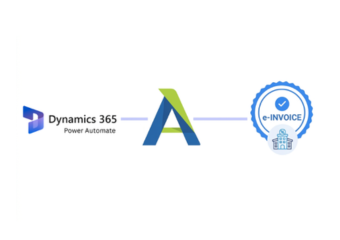
Microsoft Power Automate connects business applications and automates processes, while Advintek converts workflow-generated transactions into Jordan-compliant electronic invoices.
Powerful features

Why Teams Using Microsoft Power Automate Choose Advintek for Jordan Compliance

Affordable pricing for SMEs

Simple, Transparent Pricing

Starting from as low as

RM 20

How Microsoft Power Automate Workflows Connect With Jordan e-Invoicing

  • Triggering Invoice Activities: Automated Power Automate flows identify completed business actions that require invoice processing.
  • Collecting Connected Data: Customer information, transaction details, approvals, and operational records are gathered from linked applications.
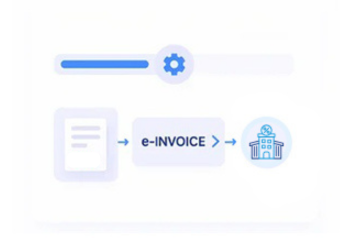
  • Preparing Invoice Information: Workflow data is structured into the required Jordan electronic invoice format.
  • Validating Compliance Data: Invoice details are reviewed against ISTD requirements before submission.
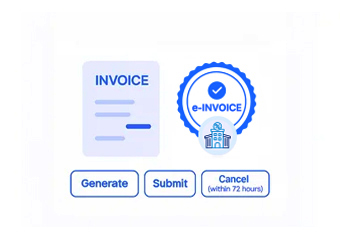
  • Processing Through JoFotara: Completed invoices are submitted through Jordan’s electronic invoicing platform with tracking visibility.
  • Recording Workflow History: Final invoice records remain connected with the Power Automate processes that created them.

Advintek Integration for Microsoft Power Automate Invoice Automation

Power Automate orchestrates information between applications, approvals, and business processes through automated flows. Advintek adds the Jordan e-invoicing layer, transforming workflow-generated transaction data into compliant electronic invoices while retaining connections with the applications and processes behind each transaction.

e invoicing in sap, einvoicing in sap einvoicing sap
sap e invoicing for compliance sap einvoicing sap einvoice

Helping Power Automate Users Improve Invoice Workflow Automation

  • Automated Invoice Initiation: Uses existing Power Automate triggers to begin invoice processing from completed business activities.
  • Reduced Manual Workflow Handling: Minimizes repeated data entry through connected automated processes.
  • Better Process Visibility: Helps teams monitor invoices generated from automated workflows.
  • Connected Application Management: Supports invoice flows across ERP, CRM, finance, and custom applications.
  • Improved Data Consistency: Keeps workflow information synchronized with electronic invoice records.
  • Scalable Automation Operations: Supports increasing workflow activity while maintaining reliable invoice processing.
Powerful features

Automation Capabilities Supporting Microsoft Power Automate e-Invoicing

Built for UAE Businesses Using QuickBooks

Maintaining Jordan e-Invoice Accuracy Across Microsoft Power Automate Workflows

Microsoft Power Automate coordinates applications, approvals, and automated processes, while Advintek connects workflow-generated information with Jordan e-invoicing to maintain accurate records, traceable transactions, and consistent invoice processing.

Transform Your Microsoft Power Automate

E-Invoice Workflow for Jordan Compliance

Connect Power Automate workflows with Jordan's e-invoicing requirements through one streamlined automated integration.

Advintek also connects ERP, CRM, and business applications for Jordan electronic invoicing.

Ready e-Invoice System

0 % ISTD

Frequently Asked Questions About Microsoft Power Automate Jordan e-Invoicing Integration

How does Advintek use Power Automate flow data for invoicing?

Advintek can receive relevant information generated by Power Automate flows, including transaction details, approvals, customer data, and records from connected applications. It organizes this workflow information into Jordan-compliant electronic invoices while maintaining references to the business process that initiated each invoice.

Yes. Defined Power Automate triggers can identify completed business events and initiate invoice-related processing. Advintek uses the resulting workflow information to prepare electronic invoices, helping organizations connect automated approvals, transactions, and business actions with Jordan’s electronic invoicing requirements without introducing manual steps.

Advintek can preserve relevant workflow references alongside invoice information, allowing teams to identify the Power Automate process behind each document. This provides greater traceability when reviewing automated transactions, troubleshooting workflow outcomes, or reconciling electronic invoices with connected business applications.

Yes. Power Automate can coordinate information from ERP, CRM, finance, and other connected applications. Advintek uses relevant workflow data for electronic invoice preparation, helping organizations combine information from multiple systems while maintaining a consistent Jordan e-invoicing process across automated business operations.

Advintek can accommodate automated processes where multiple applications, approvals, and transaction events contribute to invoice preparation. By connecting workflow outputs with Jordan e-invoicing, organizations can maintain structured invoice processing as automation becomes more extensive across departments and connected business systems.