

Compliance Built for Financial Control Environments
How Jordan e-Invoicing Runs Through Microsoft Dynamics 365 Finance
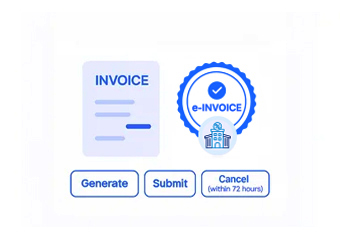
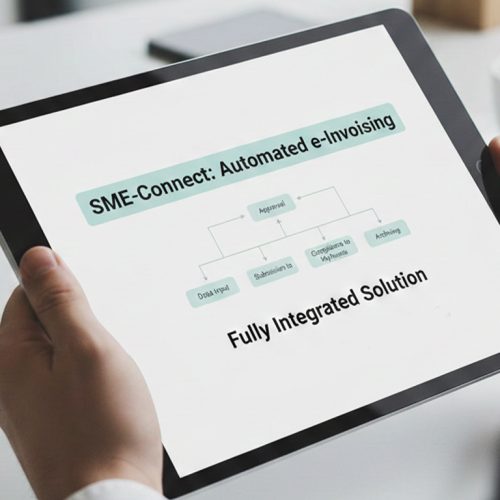
- Generating Financial Documents: When invoices are created from Dynamics 365 Finance transactions, Advintek collects the required financial information for electronic processing.
- Reviewing Invoice Requirements: Document details are examined against ISTD’s JoFotara requirements to confirm that necessary invoice information is complete.
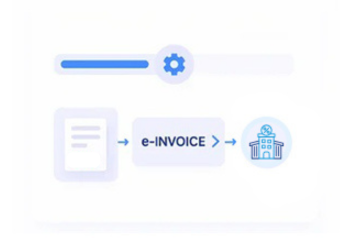
- Converting ERP Data: Financial, customer, and tax-related information is structured into the required electronic invoice format.
- Preparing Submission Information: Required references and validation details are added before the invoice enters the submission process.
- Completing JoFotara Submission: The finalized invoice is processed through Jordan’s electronic invoicing platform with status monitoring throughout the submission cycle.
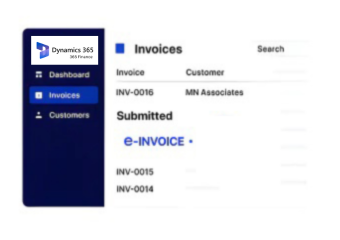
- Recording Invoice History: Completed documents remain associated with Dynamics 365 Finance records for future financial review and compliance reference.
What Is Advintek's Jordan e-Invoice Connector for Microsoft Dynamics 365 Finance?
Microsoft Dynamics 365 Finance manages accounting, receivables, payables, and reporting, while Advintek connects those ERP workflows with Jordan’s JoFotara requirements for structured invoice processing.
- Connects Dynamics 365 Finance documents with JoFotara processing
- Converts ERP financial information into compliant invoice structures
- Maintains invoice history within finance workflows
- Supports enterprise accounting operations
Why Microsoft Dynamics 365 Finance Teams Select Advintek
- Simplified Financial Compliance — Finance teams can manage electronic invoice requirements without separating them from existing ERP processes.
- Stronger Accounting Control — Invoice information remains connected with financial records throughout the complete processing cycle.
- Improved Document Management — Teams can organize submitted invoices alongside related accounting activities.
- Efficient Finance Operations — Reduces repetitive invoice preparation steps across accounting workflows.
- Better Financial Tracking — Provides clearer visibility into invoice movement from ERP creation to submission.
- Consistent Invoice Handling — Applies the same compliance process across different financial documents and business units.
Complete Control Over Jordan E-Invoicing Workflows in One Platform
Error Detection and Resolution Support
Reviews invoice content against ERP records to identify incomplete information before documents move forward.
Dashboard and Reporting
Helps finance teams follow submission progress and maintain awareness of electronic invoice activities.
Dedicated e-Invoicing Support
Advintek keeps the Dynamics 365 Finance integration aligned with ISTD and JoFotara requirements as processes evolve.
Jordan e-Invoicing Compliance Across Microsoft Dynamics 365 Finance Activities
Organizations using Microsoft Dynamics 365 Finance can connect accounting transactions with Jordan’s e-invoicing framework while preserving ERP references, structured invoice data, and consistent compliance workflows.
- Integrates financial records with electronic invoicing
- Supports accounting-driven invoice workflows
- Maintains reliable document references
- Simplifies compliance management for finance teams
Using a Single Automated Workflow
Connect Microsoft Dynamics 365 Finance invoice workflows with Jordan's JoFotara requirements through one structured integration.
Advintek also connects other ERP and business applications with Jordan e-invoicing workflows.
Ready e-Invoice System
Frequently Asked Questions Microsoft Dynamics e-Invoicing Jordan
How does Dynamics 365 Finance account structure affect Jordan e-invoice processing?
Dynamics 365 Finance can contain multiple legal entities, business units, ledgers, and financial dimensions. Advintek uses relevant ERP information to organize invoice data for Jordan e-invoicing, helping preserve the accounting context associated with each transaction throughout processing.
How are Dynamics 365 Finance tax details handled for Jordan invoices?
Tax information originating within Dynamics 365 Finance can be incorporated into the invoice workflow according to the applicable Jordan requirements. Advintek structures relevant tax data alongside customer, transaction, and accounting information before the invoice proceeds through JoFotara processing.
How does Advintek handle Dynamics 365 Finance credit notes?
Credit notes created through Dynamics 365 Finance can follow an appropriate invoice-processing workflow while retaining their relationship with originating financial records. Advintek helps organize relevant document information so credit transactions remain identifiable and appropriately prepared for Jordan’s e-invoicing process.
Can Dynamics 365 Finance invoice batches retain individual transaction references?
Yes. Relevant invoice identifiers and originating transaction information can remain associated with processed documents. This gives finance teams clearer context when reviewing invoice activity, reconciling ERP records, or tracing individual documents through the Jordan e-invoicing workflow.
How does Dynamics 365 Finance support invoice reconciliation after submission?
Processed invoice information can remain connected with the corresponding Dynamics 365 Finance records, helping teams compare ERP transactions with submitted documents. This provides a more organized reference point for reconciliation, invoice review, and ongoing accounting activities within the finance environment.