

What Infor M3 Adds To E-Invoicing
How Does Infor M3 Data Become an Invoice?
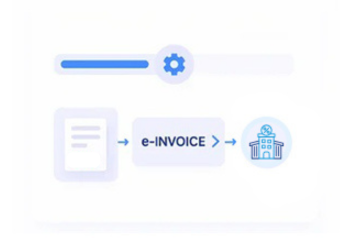
- Finalize the Transaction: Sales, deliveries, customer activity, and other billable events are completed within the organization’s normal M3 processes.
- Identify Billing Information: Relevant transaction records are selected according to the invoice being prepared for Jordan’s electronic invoicing process.
- Pull Infor M3 Records: Applicable customer, product, quantity, pricing, tax, and reference information is gathered from the relevant M3 records.
- Prepare Invoice Structure: Advintek organizes the collected information into the applicable structure required for Jordan’s National E-Invoicing System.
- Perform Data Checks: Relevant information is reviewed for completeness and consistency before the document proceeds further through processing.
- Route Through JoFotara: The prepared invoice enters the applicable JoFotara workflow while retaining references to its originating M3 transaction.
How Can Infor M3 Data Flow Better?
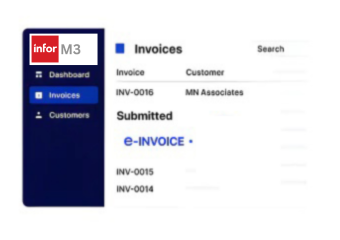
Infor M3 brings together commercial information from sales, customers, products, pricing, logistics, and finance. Advintek uses that connected data foundation to support Jordan e-invoicing without forcing teams to recreate information outside their established Infor M3 environment.
- Reduce repeated entry of commercial information
- Keep customer and invoice details connected
- Use existing M3 transaction information
- Improve control across invoice preparation
Which Infor M3 Records Support Invoice Preparation?
- Sales And Customer Records: Customer accounts, sales references, order information, and applicable billing details can provide the starting point for electronic invoice preparation.
- Product Master Information: Relevant product identifiers, descriptions, units, quantities, and item classifications can support detailed invoice line creation.
- Pricing And Discount Data: Applicable price agreements, discounts, surcharges, and commercial conditions can contribute to accurate invoice values.
- Delivery Transaction Information: Shipment, delivery, and fulfillment references can provide supporting context when invoices follow completed distribution activity.
- Financial Transaction References: Applicable accounting references and transaction values can help maintain the relationship between invoices and underlying financial records.
- Tax-Related Information: Relevant tax information associated with eligible transactions can be incorporated when preparing invoices for Jordan’s electronic invoicing process.
Smart Controls For M3 Invoicing
Validate Commercial Details
Checks relevant customer, product, pricing, and transaction information before eligible invoice data moves forward.
Connect Billing References
Maintains useful relationships between M3 commercial records and the corresponding electronic invoice information.
Support JoFotara Connectivity
Advintek maintains the M3 integration around applicable ISTD and JoFotara processing requirements.
How Infor M3 Makes Invoicing Easier
Advintek helps businesses connect Infor M3’s commercial and financial information with Jordan’s National E-Invoicing System, creating a more organized route from everyday transactions to electronic invoice processing.
- Faster access to relevant invoice information
- Clearer connections between M3 records
- Better visibility into invoice preparation
- Easier management of Jordan requirements
Connect Your M3 Data With JoFotara Today
Advintek helps connect eligible Infor M3 billing information with Jordan's National E-Invoicing System for smoother electronic invoice processing.
Keep your commercial workflows connected while supporting applicable JoFotara requirements.
Ready e-Invoice System
Frequently Asked Questions About Infor M3 Jordan e-Invoicing
1. Which Infor M3 data can be used for Jordan e-invoicing?
Relevant M3 customer, sales, product, quantity, pricing, discount, delivery, tax, and transaction information can support electronic invoice preparation. The exact information used depends on the underlying business transaction and applicable requirements. Advintek organizes eligible data before it enters Jordan’s National E-Invoicing System.
2. Can M3 pricing and discount information flow into invoices?
Yes. Applicable pricing conditions, discounts, surcharges, and commercial values maintained within M3 can contribute to invoice preparation. Advintek can use relevant transaction information to help ensure the resulting electronic invoice reflects the commercial details associated with the original M3 billing record.
3. Can Infor M3 connect sales and delivery records with invoices?
Yes. Applicable sales, shipment, delivery, and fulfillment references can provide useful context for invoice processing. Connecting these records helps businesses understand the transaction behind an invoice and maintain stronger relationships between M3 operational information and documents processed through Jordan’s National E-Invoicing System.
4. How does M3 customer master data help electronic invoicing?
Customer master information maintained within M3 can provide relevant identification and billing details for applicable invoice records. Using established customer information helps reduce unnecessary duplication and supports consistency between the originating M3 transaction and the electronic invoice prepared for Jordan’s invoicing environment.
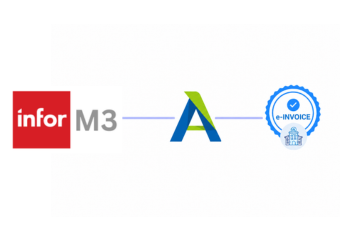
5. What does Advintek provide between Infor M3 and JoFotara?
Advintek provides the integration and processing layer that connects eligible M3 billing information with Jordan’s electronic invoicing environment. It helps collect relevant ERP data, organize invoice information, perform applicable validation, and route eligible documents through the JoFotara process while preserving useful M3 transaction references.