

Why QuickBooks Enterprise Fits Jordan e-Invoicing
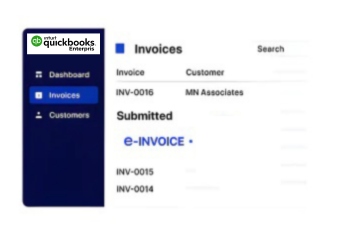
How QuickBooks Enterprise Handles Jordan Invoices
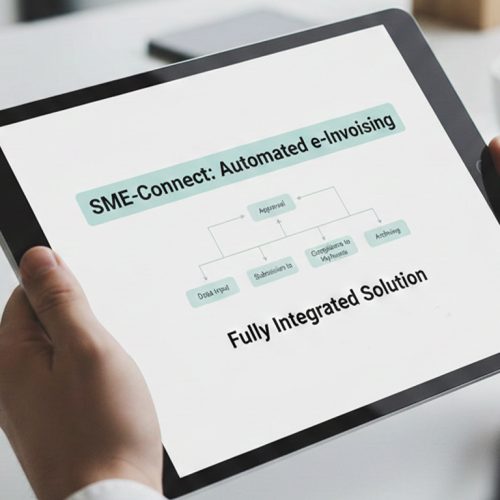
- Record Business Transactions: Sales, services, products, and other applicable business activity continue to be recorded through your existing QuickBooks Enterprise environment.
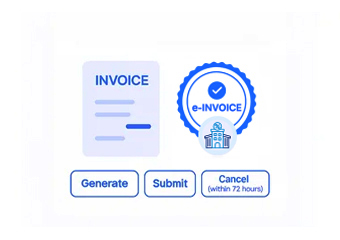
- Select Eligible Invoices: Relevant invoices are identified for electronic processing based on the applicable Jordan invoicing requirements and business transaction.
- Gather Invoice Information: Customer, seller, item, quantity, tax, value, invoice number, and other relevant information are collected for preparation.
- Structure Required Fields: Advintek maps applicable QuickBooks Enterprise information into the structure required for Jordan’s electronic invoicing workflow.
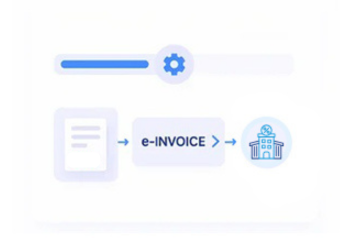
- Validate Before Processing: Relevant invoice information is checked for applicable completeness and consistency before the electronic document continues through processing.
- Process Through JoFotara: The prepared invoice proceeds through the applicable JoFotara process while remaining associated with its originating accounting information.
What Does the QuickBooks Enterprise Connector Enable?
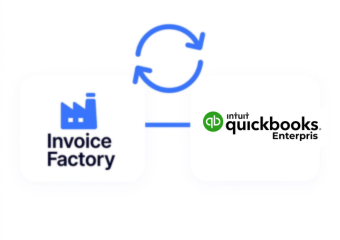
QuickBooks Enterprise manages complex accounting and operational information for growing organizations. Advintek builds the Jordan e-invoicing connection around that existing environment, reducing unnecessary duplication while keeping relevant financial records connected.
- Keep existing enterprise accounting workflows
- Reduce repetitive invoice data handling
- Connect sales records with invoices
- Improve visibility across financial processes
Why QuickBooks Enterprise Users Choose Advintek
- Customer Account Information: Relevant customer names, billing details, account references, and applicable identification information can support electronic invoice preparation.
- Product And Inventory Details: Applicable item names, quantities, descriptions, inventory references, and values can contribute to invoice line information.
- Sales Transaction Records: Relevant sales information provides the underlying transaction context needed to prepare applicable electronic invoice documents.
- Tax And Pricing Information: Applicable tax, pricing, discounts, and related financial information can be incorporated into the electronic invoice structure.
- Location-Based Invoice Details: Where applicable, business location information can remain associated with invoices generated from different operating locations.
- Credit and Adjustment Records: Applicable credits, corrections, discounts, and other adjustments can be reflected through the relevant electronic invoice lifecycle.
Controls QuickBooks Enterprise Invoice Processing
Validate Invoice Information
Reviews applicable QuickBooks Enterprise invoice data before eligible documents continue through Jordan's electronic invoicing workflow.
Preserve Source References
Keeps relevant electronic invoices associated with their originating QuickBooks Enterprise accounting records for easier financial review.
Support JoFotara Alignment
Advintek maintains the QuickBooks Enterprise integration according to applicable ISTD and JoFotara process requirements.
Built for QuickBooks Enterprise Users in Jordan
Advintek connects eligible QuickBooks Enterprise financial information with Jordan’s National E-Invoicing System, helping businesses maintain organized records while introducing a more controlled electronic invoice process.
- Easier review of enterprise invoice records
- Clearer connections between sales information
- Better continuity across accounting processes
- Simpler oversight of Jordan compliance
For Jordan e-Invoicing Compliance
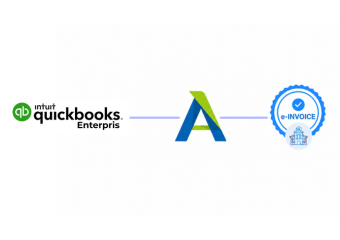
Advintek connects QuickBooks Enterprise invoice activity with Jordan's e-invoicing environment.
Keep established accounting processes while supporting compliance.
Ready e-Invoice System
Frequently Asked Questions QuickBooks Enterprise e-Invoicing Jordan
Can QuickBooks Enterprise connect with Jordan's National E-Invoicing System?
Yes. Advintek can connect applicable QuickBooks Enterprise invoice information with Jordan’s National E-Invoicing System, helping businesses transfer relevant customer, transaction, tax, and invoice details into a structured electronic invoicing workflow while continuing to use their existing accounting environment.
How does QuickBooks Enterprise support JoFotara invoice processing?
Advintek prepares applicable QuickBooks Enterprise invoice information for the Jordan e-invoicing process and connects it with the relevant JoFotara workflow. This allows businesses to organize invoice data, apply necessary validation, and move eligible documents through the applicable national electronic invoicing process more efficiently.
What QuickBooks Enterprise data can be used for Jordan e-invoicing?
Relevant customer, seller, invoice, product, service, quantity, pricing, tax, discount, and transaction information can support electronic invoice preparation. Depending on the transaction, applicable location and accounting references can also provide useful context while the invoice moves through Jordan’s National E-Invoicing System.
Does QuickBooks Enterprise need to be replaced for Jordan compliance?
No. Businesses can continue using QuickBooks Enterprise for their established accounting, sales, inventory, and financial activities. Advintek provides a connected layer around eligible invoice information, helping organizations introduce Jordan electronic invoicing without replacing the core accounting environment already used by their finance teams.
How does Advintek help maintain Jordan e-invoicing compliance?
Advintek maintains the QuickBooks Enterprise integration around applicable Jordan requirements and the processes administered through the Income and Sales Tax Department (ISTD). The solution helps organize, validate, and process eligible invoice information through JoFotara while keeping relevant accounting records connected for easier review.