

Compliance Built for Epicor iScala Retail Operations
How Jordan e-Invoicing Works Through Epicor iScala Workflows
- Gathering ERP Transactions: When financial documents are created in Epicor iScala, Advintek collects relevant invoice and transaction information for processing.
- Validating JoFotara Information: Invoice data is reviewed against ISTD’s JoFotara requirements to ensure required business and document details are available.
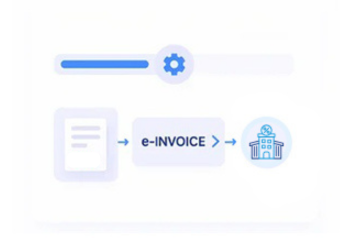
- Formatting ERP Records: Financial details, customer information, and transaction data are transformed into the required invoice structure.
- Preparing Final Submission: Necessary references and invoice information are applied before sending documents for processing.
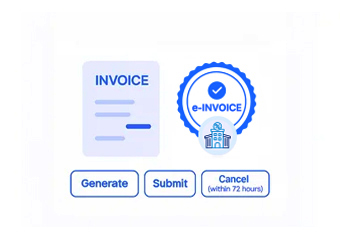
- Completing JoFotara Processing: Finalized invoices are submitted through Jordan’s invoicing platform with submission tracking.
- Maintaining ERP References: Completed invoices remain connected with Epicor iScala records for future accounting and operational requirements.
What Is Advintek's Jordan e-Invoice Connector for Epicor iScala?
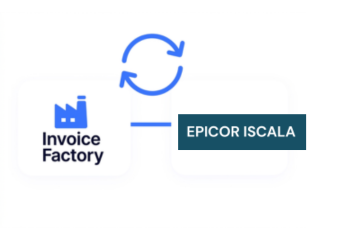
Epicor iScala supports finance, procurement, supply chain, inventory, and operational workflows, while Advintek connects iScala invoice processes with Jordan’s JoFotara requirements for structured compliance.
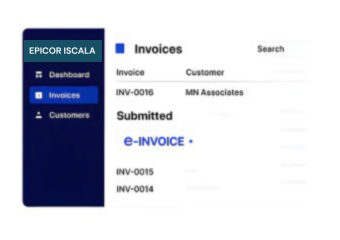
- Connects iScala invoices with JoFotara processing
- Converts ERP transaction information into compliant invoices
- Maintains relationships between invoices and ERP records
- Supports enterprise-wide business operations
Why Epicor iScala Users Rely on Advintek
- Integrated ERP Invoice Processing — Financial documents move through e-invoicing workflows while remaining connected with business operations.
- Improved Data Consistency — Invoice information stays aligned with ERP records across different departments.
- Simplified Compliance Activities — Businesses can manage Jordan e-invoicing requirements within existing ERP processes.
- Better Operational Coordination — Finance, procurement, and supply teams work with connected transaction information.
- Easier Document Review — Teams can access invoice history through related ERP transaction records.
- Structured Submission Workflow — Automated processing helps maintain accurate invoice preparation.
Complete Control Over Epicor iScala Jordan E-Invoicing Workflows
Error Detection Support
Checks invoice information against Epicor iScala records to identify incomplete details before submission.
Dashboard and Reporting
Provides visibility into invoice activities across finance, supply chain, and operational workflows with improved tracking.
Dedicated E-Invoicing Support
Advintek maintains the Epicor iScala integration according to ISTD and JoFotara process requirements.
Jordan e-Invoicing Compliance Across Epicor iScala Operations
Organizations running Epicor iScala can connect finance, procurement, inventory, and supply chain transactions with Jordan’s e-invoicing framework while preserving ERP references and coordinating invoice activities across departments.
- Connects ERP transactions with e-invoicing
- Supports finance and supply workflows
- Maintains accurate document references
- Improves coordination across business departments
Using a Single Automated Workflow
Connect Epicor iScala invoices with Jordan's JoFotara requirements through one structured integration.
Advintek also supports Jordan e-invoicing connections across ERP, finance, and business management platforms.
Ready e-Invoice System
Frequently Asked Questions Epicor iScala ERP E-Invoicing Jordan
How does Epicor iScala accounting data support Jordan invoice preparation?
Epicor iScala accounting records can provide customer, transaction, tax, and financial information for invoice preparation. Advintek organizes relevant ERP data into a structured workflow, helping businesses connect accounting activity with resulting Jordan e-invoice records while preserving useful financial references throughout processing.
How are Epicor iScala procurement transactions reflected in invoicing?
Relevant procurement and supplier transaction information maintained in Epicor iScala can provide context for invoice workflows. Advintek helps organize applicable ERP records, allowing businesses to maintain relationships between purchasing activity, supplier information, and associated invoice documents during Jordan e-invoicing processing.
Can Epicor iScala inventory transactions remain linked with invoices?
Relevant inventory movements and transaction records within Epicor iScala can remain associated with invoice information. Advintek helps preserve these ERP relationships during processing, giving finance and operations teams clearer context when reviewing invoices against originating inventory and business transactions.
How does Epicor iScala support invoices across multiple business functions?
Epicor iScala can manage finance, procurement, inventory, supply chain, and operational activities within connected ERP workflows. Advintek helps organize applicable invoice data from these functions, supporting structured Jordan e-invoicing while maintaining relationships between departmental transactions and resulting documents.
Can Epicor iScala records assist post-invoice reconciliation?
Yes. Relevant Epicor iScala accounting, procurement, inventory, and transaction records can remain connected with processed invoice information. Advintek helps preserve these relationships, giving finance teams useful references for comparing ERP activity with invoices during reconciliation, review, and ongoing operational management.