

Why Service Teams Using Microsoft Dynamics 365 Field Service Choose Advintek
How Jordan e-Invoicing Works Through Microsoft Dynamics 365 Field Service Workflows
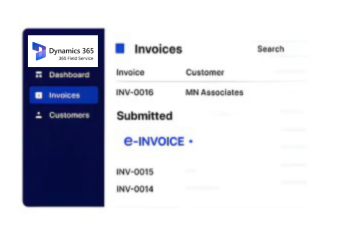
- Capturing Service Completion Data: When customer work orders are completed in Dynamics 365 Field Service, Advintek retrieves service and billing information for invoice processing.
- Reviewing JoFotara Requirements: Invoice details are checked against ISTD’s JoFotara requirements to ensure service documents contain required information.
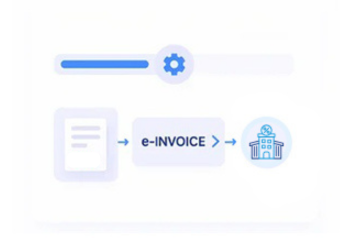
- Converting Service Information: Work order details, customer data, and service records are transformed into the required invoice structure.
- Preparing Invoice Submission: Required invoice references and business details are added before the document moves for processing.
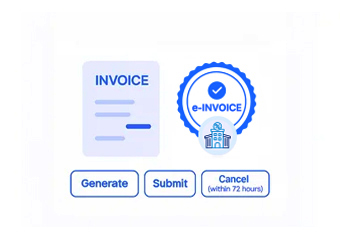
- Processing Through JoFotara: Completed service invoices are submitted through Jordan’s invoicing platform with status monitoring.
- Maintaining Service Records: Finalized invoices remain connected with original work orders and service transactions for future review.
What Is Advintek's Jordan e-Invoice Connector for Microsoft Dynamics 365 Field Service?
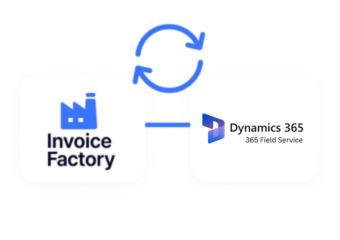
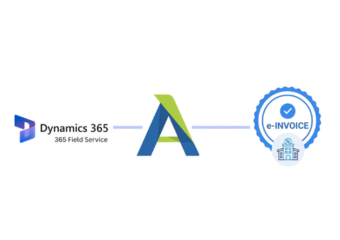
Microsoft Dynamics 365 Field Service manages work orders, technician scheduling, customer assets, and service activities, while Advintek connects these workflows with Jordan’s JoFotara requirements for structured invoice processing.
- Connects completed work orders with JoFotara processing
- Converts service information into compliant invoices
- Maintains links between invoices and service records
- Supports field service and maintenance operations
Why Microsoft Dynamics 365 Field Service Users Depend on Advintek
- Connected Service Billing — Service invoices are generated from completed field activities without separating billing from operational records.
- Improved Work Order Tracking — Teams can follow invoice information back to the related service activity.
- Better Service-Finance Coordination — Operations and finance teams work with connected service and billing information.
- Reduced Manual Documentation — Automates invoice preparation from completed service workflows.
- Clear Operational Visibility — Businesses can monitor invoice progress alongside field service activities.
- Reliable Compliance Processing — Structured invoice preparation helps maintain accurate submissions.
Everything Microsoft Dynamics 365 Field Service Needs for Jordan e-Invoicing
Work Order Invoice Validation
Reviews service invoice details against completed work orders to identify missing information before submission.
Service Activity Monitoring
Provides visibility into invoice progress across customer service activities, technician jobs, and completed work orders.
Compliance Workflow Support
Advintek maintains the Dynamics 365 Field Service integration according to ISTD and JoFotara process requirements.
Jordan e-Invoicing Compliance Across Microsoft Dynamics 365 Field Service Operations
Organizations using Microsoft Dynamics 365 Field Service can connect work orders, service billing, and customer activities with Jordan’s e-invoicing framework while preserving operational references and structured invoice information.
- Connects field operations with e-invoicing
- Supports work order-based billing processes
- Maintains accurate service references
- Improves coordination between service and finance teams
Using a Single Automated Workflow
Connect Microsoft Dynamics 365 Field Service work orders with Jordan's JoFotara requirements through one structured integration.
Advintek also supports Jordan e-invoicing connections across other ERP, CRM, and service platforms.
Ready e-Invoice System
Microsoft Dynamics 365 Field Service and Jordan e-Invoicing: Frequently Asked Questions
How does a Dynamics 365 Field Service work order become an invoice?
Completed work orders can provide service, customer, asset, and billing information for invoice preparation. Advintek organizes relevant Dynamics 365 Field Service data into a structured workflow, helping businesses move completed service activities toward Jordan’s applicable e-invoicing process while retaining their originating operational context.
How are billable service activities identified in Dynamics 365 Field Service?
Relevant billable information recorded against Dynamics 365 Field Service activities can contribute to invoice preparation. Advintek helps organize applicable service and customer information, allowing invoice workflows to reflect completed work while maintaining connections with the corresponding work order and service records.
Can Dynamics 365 Field Service asset information remain connected to invoices?
Relevant customer asset and equipment information maintained within Dynamics 365 Field Service can remain associated with originating service activities. Advintek helps preserve useful operational references during invoice processing, giving service and finance teams clearer context when reviewing billing documents related to completed field work.
How does Dynamics 365 Field Service handle recurring service billing?
Recurring service arrangements and scheduled activities managed through Dynamics 365 Field Service can provide relevant billing information for invoice workflows. Advintek helps organize applicable service records and transaction details, supporting structured invoice preparation while maintaining relationships with the underlying service activities and customer records.
Can service teams reconcile invoices with technician work records?
Yes. Relevant technician activities, work orders, and service completion records can remain connected with associated invoice information. Advintek helps preserve these relationships during processing, giving service and finance teams clearer references for reviewing completed jobs, billing details, and Jordan e-invoicing activity.