

Why Finance Teams Running Microsoft Dynamics 365 Business Central Trust Advintek
How Business Central Financial Transactions Connect With Jordan e-Invoicing
- Finalizing Source Transactions: Completed sales, purchasing, service, and accounting activities in Business Central become available for invoice processing.
- Gathering ERP Information: Customer accounts, item details, tax data, prices, and transaction references are collected from Business Central.
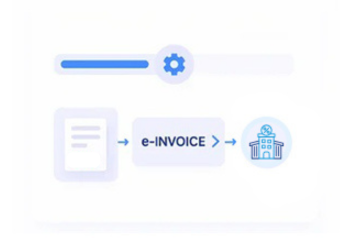
- Building Electronic Documents: Relevant Business Central information is arranged according to Jordan’s required electronic invoice structure.
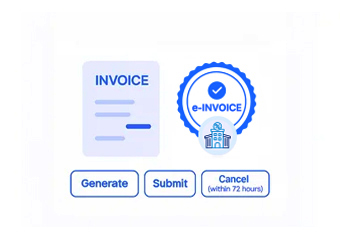
- Performing Compliance Checks: Invoice data is reviewed against applicable ISTD requirements before electronic submission.
- Sending Through JoFotara: Validated invoices are transmitted through Jordan’s electronic invoicing platform while processing status remains visible.
- Retaining ERP References: Submitted documents remain associated with originating Business Central records for accounting review and reconciliation.
Advintek Integration for Business Central Invoice Automation
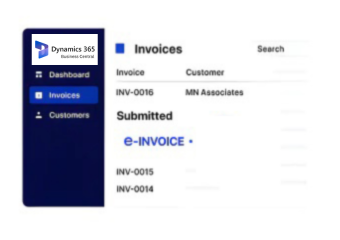
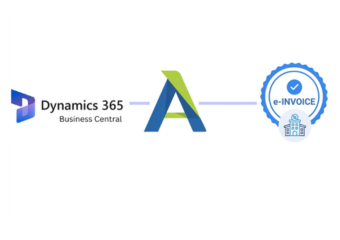
Business Central connects accounting, sales, purchasing, inventory, and reporting data across daily ERP operations. Advintek converts relevant Business Central records into Jordan-compliant electronic invoices while preserving source references and maintaining continuity between ERP transactions and financial documentation.
- Converts Business Central records into e-invoices
- Retains accounting and customer references
- Supports sales and finance workflows
- Connects ERP records with JoFotara
Helping Business Central Users Reduce Manual Invoice Processing
- Automated Accounting Conversion: Uses existing Business Central records to simplify recurring invoice preparation.
- Consistent Financial Information: Keeps invoice details aligned with accounting entries and customer records.
- Embedded Compliance Processing: Brings Jordan e-invoicing into established Business Central workflows.
- Connected Department Operations: Links finance, sales, purchasing, and inventory information.
- Source Document Visibility: Keeps invoices traceable to Business Central records.
- Scalable ERP Invoice Handling: Supports increasing transaction volumes as businesses expand.
Financial Management Features Supporting Business Central e-Invoicing
Accounting Record Validation
Checks Business Central financial and transaction information before invoices enter Jordan's electronic invoicing workflow.
Invoice Status Monitoring
Tracks invoice progress across sales, accounting, purchasing, and operational transactions within Business Central.
Compliance Workflow Updates
Advintek maintains the Business Central connector according to ISTD and JoFotara processing requirements.
Keeping Jordan e-Invoice Accuracy Across Business Central Accounting Workflows
Business Central combines accounting, sales, purchasing, inventory, and operations, while Advintek connects these ERP records with Jordan e-invoicing to preserve accurate financial information, source references, and consistent document traceability.
- Connects accounting records with invoices
- Maintains customer and transaction references
- Supports finance-driven workflows
- Keeps ERP documentation organized
Connect Business Central With Automated e-Invoicing
Connect Business Central transactions with Jordan's e-invoicing requirements through one streamlined automated ERP workflow.
Advintek also connects accounting, ERP, and business applications for Jordan electronic invoicing.
Ready e-Invoice System
Frequently Asked Questions About Business Central Jordan e-Invoicing Integration
How does Advintek use Business Central sales documents for e-invoicing?
Advintek can retrieve relevant Business Central sales documents, including customer, item, quantity, pricing, tax, and transaction information. These records are organized into Jordan-compliant electronic invoices while retaining references to originating ERP documents, helping finance teams reconcile submitted invoices with their Business Central records efficiently.
Can Business Central accounting entries contribute to invoice preparation?
Yes. Relevant Business Central accounting information can be used alongside sales, customer, item, and transaction records during invoice preparation. Advintek helps organize these ERP records into the required electronic structure while maintaining consistency between accounting information and resulting Jordan e-invoice documents.
How are Business Central source documents linked to invoices?
Advintek preserves relevant references between Business Central documents and generated electronic invoices. This allows finance users to trace invoices back to sales documents, customer records, accounting entries, or other originating transactions, supporting reconciliation, audit preparation, and document verification within their existing ERP environment.
Can multiple Business Central companies use the same e-invoicing workflow?
Yes. Advintek can support organizations operating multiple Business Central companies by connecting relevant company-level transactions with Jordan e-invoicing workflows. This helps maintain structured invoice processing while preserving appropriate customer, accounting, transaction, and company references across different Business Central entities.
How does Advintek support high-volume Business Central invoicing?
Advintek automates invoice preparation from relevant Business Central transactions, reducing repetitive manual processing as invoice volumes increase. The connector maintains structured workflows and source references, helping finance teams manage growing sales, accounting, purchasing, and operational activity without disrupting established ERP processes.