

Compliance That Fits FreshBooks Users
How FreshBooks Invoices Move Into Jordan e-Invoicing
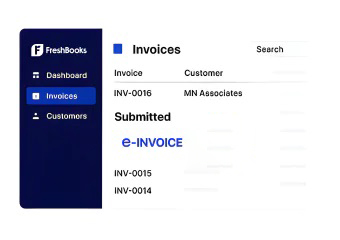
- A Client Is Billed: Your team creates an invoice in FreshBooks for applicable products, services, projects, or completed work.
- Invoice Details Are Gathered: Relevant client, service, quantity, time, expense, tax, and invoice information is collected.
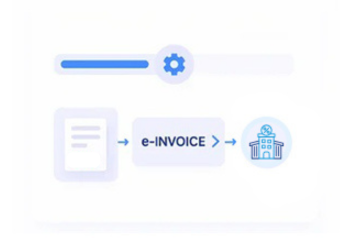
- The Invoice Enters Processing: Eligible FreshBooks invoices are identified and prepared for the Jordan electronic invoicing workflow.
- Information Is Structured: Applicable FreshBooks data is mapped into the required electronic invoice structure.
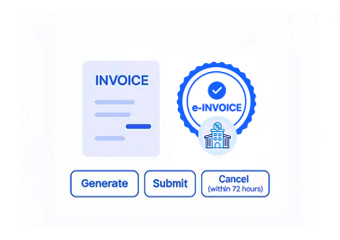
- The Document Is Validated: Relevant information is checked against applicable ISTD requirements before electronic processing.
- JoFotara Processing Continues: The validated invoice moves through the applicable JoFotara process while remaining associated with its FreshBooks source.
Keep Your FreshBooks Billing Process Familiar
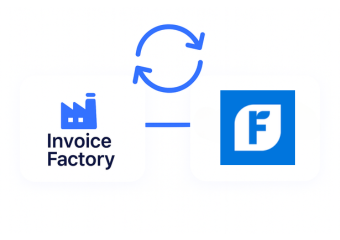
FreshBooks already gives service businesses a straightforward way to create invoices and manage client billing. Advintek adds the Jordan electronic invoicing connection around that existing process instead of asking your team to rebuild how it works.
- Keep client billing in FreshBooks
- Connect eligible invoices automatically
- Reduce repeated data entry
- Maintain a clearer invoice trail
FreshBooks Information That Can Support Electronic Invoices
- Client Profiles: Relevant customer and billing information can support accurate identification of the customer associated with an electronic invoice.
- Service Descriptions: Applicable descriptions of consulting, professional, creative, technical, or other services can provide useful invoice line information.
- Billable Time: Where relevant, recorded hours and billable time can contribute to invoice details for service-based customer transactions.
- Project Information: Applicable project names, activities, or related billing information can provide context when an invoice is generated from ongoing client work.
- Expense Entries: Relevant reimbursable or invoice-related expense information can be considered when it forms part of the applicable customer charge.
- Invoice Adjustments: Applicable taxes, discounts, quantities, and other invoice-level changes can be incorporated during electronic invoice preparation.
FreshBooks Controls for Jordan Invoice Processing
Invoice Information Review
Checks relevant FreshBooks invoice information before an eligible document moves further into the Jordan electronic invoicing process.
Client-to-Invoice Connection
Keeps the relationship between applicable client records and electronic invoices clearer for finance and billing teams.
Jordan Process Maintenance
Advintek maintains the FreshBooks integration according to applicable ISTD and JoFotara process requirements.
Give Your Finance Team a Clearer View of Client Billing
Service businesses often need more context than an invoice amount. Advintek connects FreshBooks client, project, time, and service information with electronic invoices, helping teams understand billing details and review transactions with greater clarity.
- See which client generated the invoice
- Review applicable service details
- Maintain records ready for audits
- Make billing reviews easier
Start Your E-Invoicing Compliance Workflow Today
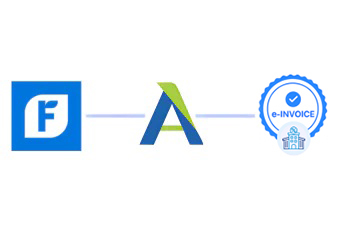
Advintek connects FreshBooks invoices with Jordan e-invoicing, integrating compliance into existing client billing workflows.
Add E-Invoicing to the FreshBooks Workflow You Already Use.
Ready e-Invoice System
Frequently Asked Questions About FreshBooks Jordan e-Invoicing
Can FreshBooks service invoices be processed through Jordan e-invoicing?
Yes. Eligible FreshBooks invoices created for consulting, professional services, projects, subscriptions, and other applicable customer work can be connected with the Jordan e-invoicing process. Relevant invoice information can move through the compliance workflow while preserving the underlying service transaction and customer billing context required for processing.
Can billable hours from FreshBooks be included in invoice processing?
Where applicable, relevant billable hours, service descriptions, quantities, rates, and related information can contribute to invoice preparation. This allows the resulting Jordan e-invoice to reflect the underlying client work represented by the FreshBooks transaction while maintaining important service and billing details within the connected processing workflow.
Can FreshBooks project information remain connected with invoices?
Yes. Applicable project information can remain associated with the invoice throughout the processing workflow. This helps teams understand which client activity, engagement, or project resulted in the billed services, while providing useful context for reviewing transactions and supporting invoice reconciliation after the Jordan e-invoice is processed.
What happens if a FreshBooks invoice contains several services?
Applicable service lines, descriptions, quantities, rates, taxes, and related information can be mapped into the e-invoice. This helps the resulting document reflect the different services included within the FreshBooks transaction while maintaining relevant commercial details and supporting structured processing through the Jordan e-invoicing workflow.
Do I need to stop using FreshBooks for my normal billing?
No. Your team can continue using FreshBooks for existing invoicing, client management, time tracking, and billing activities. Advintek provides the connection to Jordan e-invoicing, allowing eligible invoice information to enter the compliance workflow without requiring businesses to replace their established FreshBooks billing environment.