

Compliance That Fits WooCommerce Stores
How WooCommerce Order Needs Jordan For E-Invoicing
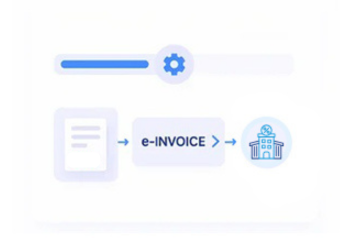
- Customer Places an Order: Product, quantity, customer, billing, and order information is captured through the WooCommerce storefront.
- Order Eligibility Is Determined: Applicable order status and business conditions are evaluated before invoice processing begins.
- Commerce Details Are Prepared: Relevant product, customer, quantity, tax, and order information is gathered from the transaction.
- Invoice Data Is Constructed: Eligible order information is converted into a structured electronic invoice record.
- Jordan Requirements Are Checked: Applicable invoice information is reviewed against ISTD requirements before submission.
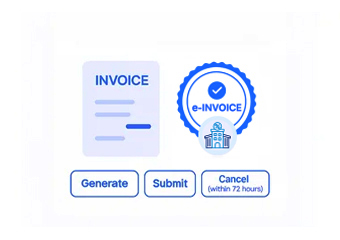
- JoFotara Processing Takes Place: The validated electronic document proceeds through JoFotara for the applicable processing workflow.
What Does Advintek’s WooCommerce Actually Do
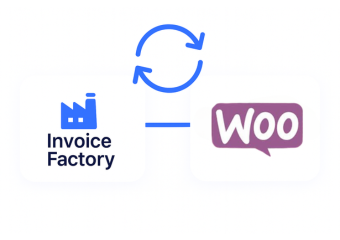
Online stores generate invoice information differently from enterprise systems. Advintek connects WooCommerce orders, shipping, tax, and product data with Jordan electronic invoicing, supporting defined compliance workflows.
- Captures information at order level
- Connects products with invoice lines
- Uses checkout information during preparation
- Keeps online transactions linked to documents
Why WooCommerce Data Trust Advintek
- Product Line Information: Applicable product names, quantities, descriptions, and other catalog information can populate corresponding electronic invoice details.
- Customer Checkout Records: Relevant billing information collected during checkout can support identification and invoice preparation for eligible customer orders.
- Order Status: Order-state information can help determine whether a transaction is appropriate for invoice processing or requires additional review.
- Tax and Order Adjustments: Applicable tax, discounts, fees, and other order-level adjustments can be considered when constructing the electronic invoice.
- Shipping Information: Where relevant to the transaction, applicable delivery details can provide additional context for the order and resulting invoice.
- Refund and Cancellation Events: Order changes can be considered so invoice processing reflects the appropriate status of the underlying commerce transaction.
Everything You Need for Jordan E-Invoicing in One Place
Real-Time Validation Feedback
Reviews relevant order information before eligible transactions move into electronic invoice creation and compliance processing.
Centralized Store Dashboard
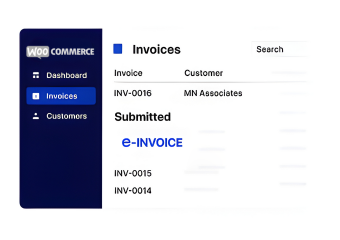
Maps WooCommerce order information to corresponding electronic invoice fields while maintaining the relationship with the original transaction.
Continuous Compliance Support
Advintek maintains the WooCommerce integration fully aligned with applicable ISTD and JoFotara electronic invoicing process requirements.
A Clearer Financial Trail From Checkout to Compliance
For online merchants, invoices represent only part of each customer transaction. Advintek connects relevant WooCommerce order, product, customer, adjustment, and fulfillment information with Jordan e-invoicing, supporting clearer transaction review.
- Trace invoices back to online orders
- Review applicable product information
- Understand order-level adjustments
- Support easier transaction reconciliation
Compliance Should Work Within Your System
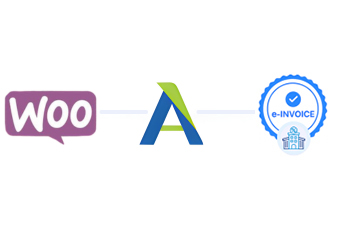
Advintek connects eligible WooCommerce orders with Jordan e-invoicing, integrating into existing digital commerce operations.
Connect Your Online Store With a Structured Compliance Workflow.
Ready e-Invoice System
Frequently Asked Questions WooCommerce E-Invoicing Jordan
Which WooCommerce order information can be used for electronic invoice creation?
Depending on the transaction, relevant product, quantity, customer, billing, tax, order, shipping, and adjustment information can contribute to invoice creation. Advintek can connect applicable WooCommerce transaction details with the Jordan e-invoicing workflow, helping ensure the resulting invoice reflects the underlying commercial activity and associated order information.
How are cancelled WooCommerce orders treated?
WooCommerce order status can be evaluated before invoice processing so cancelled, failed, refunded, or otherwise unsuitable transactions can be handled appropriately. This helps prevent ineligible orders from entering the Jordan e-invoicing workflow while allowing applicable transactions to continue through invoice preparation based on their relevant business status and information.
Can product information from the WooCommerce catalog appear on the invoice?
Yes. Applicable product descriptions, quantities, units, pricing information, and related catalog details can contribute to corresponding invoice fields. This allows relevant WooCommerce product information to remain connected with the originating transaction while supporting structured invoice preparation and helping the resulting Jordan e-invoice accurately represent the products involved.
What happens when an order contains discounts or additional charges?
Relevant discounts, fees, taxes, shipping charges, and other applicable adjustments can be considered when preparing an invoice from the underlying WooCommerce transaction. This helps preserve important commercial details associated with the order and supports accurate representation of applicable amounts within the Jordan e-invoicing workflow before processing.
Can WooCommerce invoices be connected back to their original orders?
Yes. The integration can maintain the relationship between the Jordan e-invoice and its originating WooCommerce order, helping teams trace invoice information back to the relevant transaction. This connection can support later review, reconciliation, customer inquiries, and operational checks by providing clearer context around the processed order.