

Why Businesses Running Microsoft Dynamics Choose Advintek for Jordan Compliance
Microsoft Dynamics UAE FTA E-Invoicing Complete User Guide
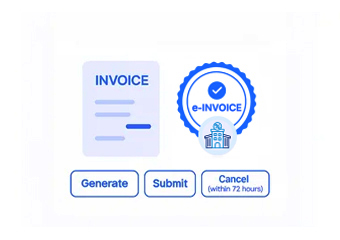
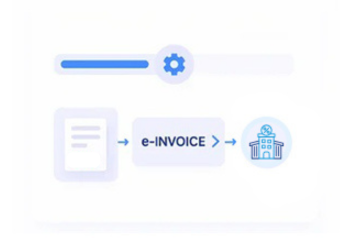
How Microsoft Dynamics Transactions Move Through Jordan e-Invoicing
- Identifying Billable Transactions: Completed sales, services, and financial activities within Microsoft Dynamics are selected for electronic invoice processing.
- Collecting Source Information: Customer, product, service, tax, and transaction details are gathered from relevant Dynamics records.
- Preparing Invoice Structure: Collected business information is formatted into the electronic invoice structure required for Jordan.
- Performing Compliance Checks: Invoice fields and transaction information are reviewed against applicable ISTD requirements before submission.
- Sending Through JoFotara: Validated electronic invoices are transferred through Jordan’s JoFotara platform with processing status visibility.
- Retaining Source References: Completed invoices remain associated with their originating Microsoft Dynamics transactions for subsequent financial review.
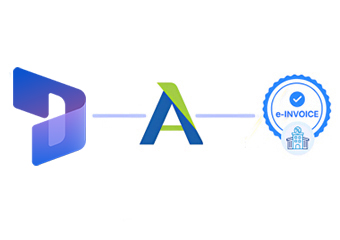
Advintek Connector for Microsoft Dynamics Invoice Processing
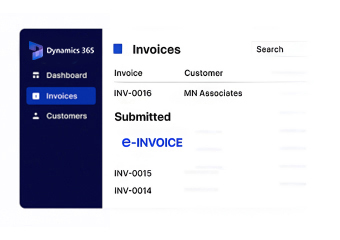
Microsoft Dynamics brings together financial, sales, service, and operational information across connected applications. Advintek uses these existing records to create Jordan-compliant electronic invoices, preserving source references and reducing separation between everyday business transactions and invoice processing.
- Converts Dynamics records into e-invoices
- Retains customer and transaction references
- Connects Dynamics workflows with JoFotara
- Supports diverse enterprise operations
Helping Microsoft Dynamics Teams Automate Invoice Compliance
- Automated Transaction Conversion — Uses existing Dynamics records instead of repetitive invoice data entry.
- Consistent Cross-Module Information — Keeps invoice details synchronized across connected Dynamics business functions.
- Simpler Compliance Management — Integrates Jordan e-invoicing into established Dynamics processes.
- Clearer Financial Traceability — Links invoices with their originating business transactions.
- Broad Functional Coverage — Supports finance, sales, service, and operational activities.
- Scalable Invoice Processing — Maintains dependable workflows as transaction volumes increase.
Business Capabilities Supporting Microsoft Dynamics Jordan e-Invoice Management
Source Record Validation
Checks Dynamics transaction information for completeness before electronic invoice preparation and submission.
Cross-Module Invoice Monitoring
Tracks invoice activity across financial, sales, service, and operational transactions within Dynamics.
Regulatory Workflow Maintenance
Advintek keeps the Dynamics integration aligned with ISTD and JoFotara processing requirements.
Maintaining Jordan e-Invoice Accuracy Across Microsoft Dynamics Workflows
Microsoft Dynamics generates interconnected records across finance, sales, service, and operations. Advintek carries these source records into Jordan e-invoicing workflows, helping maintain accurate documents, traceable transactions, and consistent financial information.
- Links Dynamics records with invoices
- Retains original transaction references
- Supports cross-functional invoice workflows
- Maintains consistent financial documentation
for Jordan E-Invoice Compliance
Connect Microsoft Dynamics transaction data with Jordan's e-invoicing requirements through one streamlined workflow.
Advintek also connects ERP, CRM, and business platforms supporting Jordan electronic invoicing.
Ready e-Invoice System
Frequently Asked Questions About Microsoft Dynamics Jordan e-Invoicing Integration
How does Advintek retrieve invoice information from Microsoft Dynamics?
Advintek uses relevant Dynamics records from sales, finance, service, and operational modules to gather invoice information. The connector organizes these source records into Jordan-compliant electronic invoices while retaining references to the original Dynamics transactions for reconciliation, review, and ongoing financial record management.
Can Dynamics Finance records be used for Jordan invoice preparation?
Yes. Relevant financial records from Dynamics can contribute to invoice preparation, alongside customer, transaction, and tax information. Advintek helps organize this information into the required electronic structure, reducing duplicate entry and keeping invoice documentation consistent with existing Dynamics financial records.
How does the connector handle Dynamics sales transactions?
Advintek can use completed Dynamics sales transactions as source information for electronic invoice preparation. Customer, product, pricing, and transaction details can remain connected to the resulting invoice, helping businesses maintain clearer links between sales activity and Jordan-compliant financial documentation.
Can multiple Dynamics modules contribute to one invoice workflow?
Yes. Advintek can bring together relevant information from different Dynamics functions when preparing invoices. This supports organizations where sales, finance, service, or operational records contribute to billing, allowing the resulting electronic invoice to retain consistent information across connected business processes.
Does the integration support complex Microsoft Dynamics environments?
Yes. Advintek is designed to work with business environments where multiple Dynamics functions contribute to transaction processing. It helps maintain structured Jordan e-invoicing workflows as organizations handle varied transaction types, departments, and increasing volumes across their Microsoft Dynamics operations.