

Compliance That Fits Xero Users
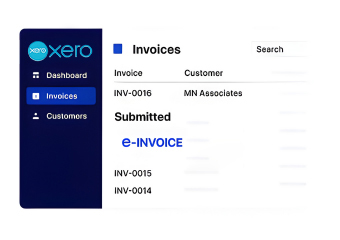
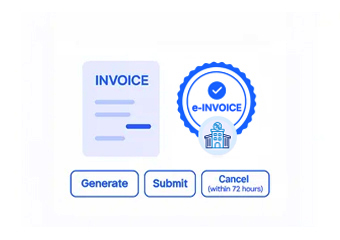
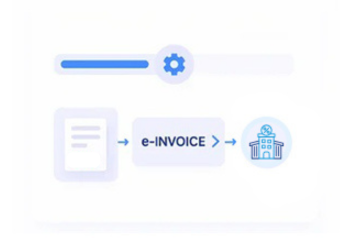
How Xero Moves From Accounting to Electronic Invoicing
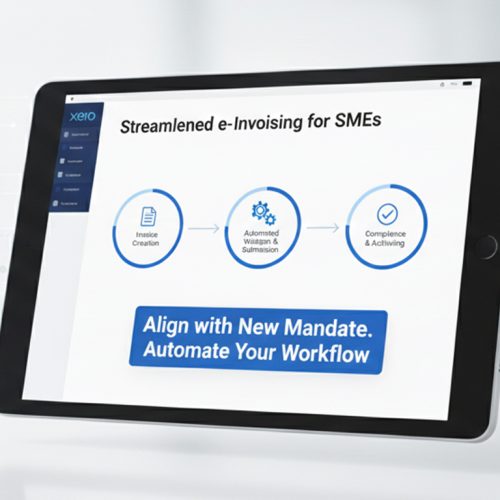
- Start With the Xero Invoice: Your team creates the applicable customer invoice within Xero using its normal accounting and billing workflow.
- Collect the Relevant Details: Customer, invoice, line-item, tax, amount, and other applicable information is gathered from the transaction.
- Prepare the Electronic Record: Advintek organizes the relevant information into the structure required for the Jordan electronic invoicing process.
- Check the Invoice Information: Applicable fields are reviewed for completeness and consistency before the invoice continues through electronic processing.
- Process Through JoFotara: The prepared electronic document moves through the applicable JoFotara workflow in line with relevant Jordan requirements.
- Keep the Accounting Connection: The processed invoice remains associated with its originating Xero information for easier financial review and reconciliation.
What Does Advintek Add to Xero?
Your accounting team already uses Xero to manage invoices and financial information. Advintek adds the Jordan e-invoicing connection around that familiar environment, helping businesses avoid creating a separate manual invoicing routine.
- Continue using familiar Xero workflows
- Reduce repeated invoice data entry
- Connect accounting with electronic invoicing
- Maintain clearer financial records
Why Xero Users Choose Advintek
- Customer Records: Relevant customer names, billing information, and account details can support identification during electronic invoice preparation.
- Invoice Lines: Applicable products, services, quantities, descriptions, and amounts can be mapped into corresponding electronic invoice information.
- Tax Details: Relevant tax information recorded against eligible transactions can contribute to preparing invoices for Jordan’s electronic invoicing process.
- Recurring Invoices: Businesses using recurring billing can connect eligible repeat invoices with the appropriate electronic invoicing workflow.
- Credit Notes: Applicable credit note information can be incorporated when an earlier transaction requires an adjustment or correction.
- Payment Information: Where relevant, payment-related information can provide additional context when finance teams review the relationship between invoices and accounting records.
Everything You Need for Jordan E-Invoicing in One Place
Invoice Data Review
Checks applicable Xero invoice information before the document progresses into the Jordan electronic invoicing workflow.
Record Matching
Keeps electronic invoices connected with relevant Xero accounting records for easier review and reconciliation.
Process Monitoring
Helps finance teams follow applicable invoice activity and identify records that may need further attention.
Designed for Businesses Using Xero in the Jordan
Advintek connects applicable Xero accounting information with Jordan electronic invoices, helping finance teams review transactions more confidently while keeping existing accounting workflows familiar and organized.
- Easier reconciliation across daily invoice records
- Clearer visibility into accounting information
- Connected financial data across business systems
- Simpler management of Jordan compliance requirements
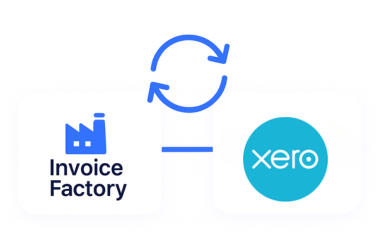
Xero and Advintek Integrated for Jordan E-Invoicing Accuracy
This extends your existing Xero accounting workflow into a structured compliance process without disrupting your familiar financial environment.
Advintek connects eligible Xero invoices with Jordan e-invoicing requirements.
Ready e-Invoice System
Frequently Asked Questions Xero e-Invoicing Jordan
Can existing Xero invoices be used for Jordan e-invoicing?
Yes. Applicable Xero invoice information can be connected with the Jordan e-invoicing workflow, including relevant customer, line-item, tax, transaction, and billing details. This helps organizations use existing accounting information while moving eligible invoices through structured processing and maintaining important commercial context throughout the applicable compliance workflow.
Can Xero recurring invoices enter the e-invoicing workflow?
Yes. Where recurring invoices meet applicable requirements, relevant Xero information can be incorporated into the connected Jordan e-invoicing process. This allows recurring customer billing activity to continue through established accounting workflows while eligible invoice details are transferred into structured processing for compliance and document preparation.
How are Xero credit notes handled?
Applicable Xero credit note information can be processed through the appropriate Jordan e-invoicing workflow, helping document relevant changes to previously issued transactions. This approach can maintain connections between original invoice information and subsequent adjustments, supporting clearer transaction records, review activities, and consistent processing of applicable credit transactions.
Does my finance team need to stop using Xero?
No. Your finance team can continue using Xero for its normal accounting, invoicing, customer, and financial management activities. Advintek provides the connection to Jordan e-invoicing, allowing eligible Xero information to enter the relevant compliance workflow without requiring your organization to replace its existing accounting environment.
Can Xero customer information be used on e-invoices?
Yes. Relevant customer and billing information maintained in Xero can support preparation of applicable e-invoices. Using existing information helps maintain consistency across customer records and invoice documents while allowing eligible transaction details to enter the Jordan e-invoicing workflow without requiring teams to recreate relevant information manually.